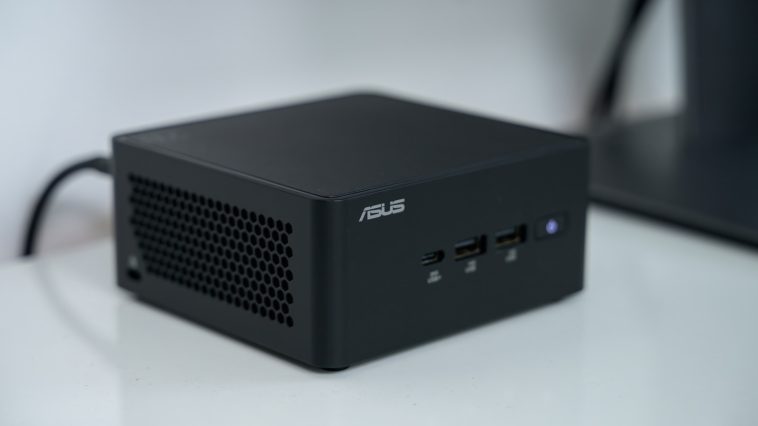
The Hidden Compromises: Why Mini PCs Might Not Be Your Next Tech Investment
Mini PCs have rapidly ascended as a compelling alternative to traditional desktop towers and even laptops in recent years. Brands like Geekom, Beelink, and Minisforum have emerged, seemingly overnight, with devices boasting formidable performance in remarkably compact form factors. Their diminutive size, often no larger than a paperback book, offers undeniable appeal for decluttering workspaces and enhancing portability.
However, the very characteristic that makes mini PCs so attractive—their physical footprint—is simultaneously their most significant limitation. While these machines are engineered as full desktop replacements, their constrained dimensions introduce inherent trade-offs in upgradeability, thermal management, and long-term value. Before committing to the allure of miniaturization, it is crucial for discerning consumers and businesses to carefully weigh these often-overlooked downsides.
Severely Limited Upgrade Paths
A primary draw of traditional desktop PCs has always been their modularity and the freedom to upgrade components as technology evolves or needs change. Mini PCs, conversely, largely eschew this philosophy. Regardless of their price point, from budget-friendly options to high-end AI workstations, their internal architecture often mirrors that of a laptop, making significant upgrades virtually impossible.
Critical components such as the CPU and GPU are frequently soldered directly onto the motherboard. This design choice, while enabling compact form factors, effectively locks users into the initial specifications. Unless one possesses advanced soldering skills, replacing these core components is not a viable option, severely limiting the device’s longevity and adaptability to future performance demands.
For mini PCs that do offer some degree of user-serviceability, upgrades are typically confined to the storage and memory. These often utilize laptop-grade SO-DIMM RAM modules and smaller M.2 SSDs. Yet, even these limited upgrade avenues are not guaranteed, with some models featuring soldered memory and storage, eliminating any possibility of future enhancement. Furthermore, the inherent lack of internal space restricts expansion, meaning additional RAM or SSD slots are a rarity. External I/O, such as USB ports, can also be more limited than on a full-sized desktop, potentially necessitating external hubs.
While some higher-end mini PCs integrate OCuLink or Thunderbolt USB-C ports, enabling the connection of external GPU enclosures, this solution comes with its own set of compromises. Though it can provide a performance boost for demanding tasks like gaming or AI workloads, external GPUs often incur a performance penalty compared to internally housed cards and introduce additional cost and desk clutter. Ultimately, the rigid, non-upgradeable nature of many mini PCs translates into a significant longevity concern, especially for lower-powered models that will quickly become obsolete as software requirements increase.
Compromised Cooling and Performance Under Load
For mini PC owners, performance is a perpetual balancing act between power and thermal management. The compact chassis, while aesthetically pleasing, inherently sacrifices the robust air-cooling advantages of larger desktop systems. Less internal volume translates directly to less space for efficient airflow, larger heat sinks, or multiple cooling fans to dissipate heat effectively. While manufacturers employ sophisticated compact cooling solutions, these can only mitigate the fundamental physical limitations to a certain extent. High-performance gaming or intensive workstation tasks requiring sustained maximum output remain largely beyond their practical capabilities.
Even with the advent of powerful mobile-grade CPUs, such as the AMD Ryzen AI Max+ series, which can rival desktop counterparts in raw computational power, the physical limitations persist. Sustained heavy workloads generate substantial heat, demanding superior cooling to prevent thermal throttling and maintain peak performance. Traditional desktop PCs can accommodate larger, more effective air coolers or even advanced liquid cooling systems, allowing their components to be pushed harder for extended periods. This fundamental difference places mini PCs at a distinct disadvantage for tasks requiring consistent, high-intensity processing.
Similar challenges plague high-end laptops, but the constraints in a mini PC are often even more acute. Powerful mini PCs under sustained load are prone to becoming excessively hot and audibly noisy as their smaller fans struggle to manage the heat. The enclosed nature of the case exacerbates this issue, making it a constant battle to maintain optimal operating temperatures. Integrating traditional liquid cooling solutions, which are common in high-performance desktops, is simply not a practical option due to the severe space restrictions.
Conversely, low-power mini PCs experience fewer thermal issues. Modern, low-end CPUs are engineered for greater power efficiency, generating less heat by consuming less electrical power. However, this efficiency comes at the cost of performance, limiting their suitability to lighter tasks like office work or web browsing. The trade-off is clear: the more power a mini PC packs, the greater the thermal challenge, and the more pronounced the compromise on sustained performance and acoustic comfort.
Limited User Repairability
One of the cornerstones of the desktop PC ecosystem is the ability for users to diagnose, repair, and replace faulty components. A failing power supply, a damaged GPU, or even a motherboard can often be swapped out by an informed user, extending the life of the machine and saving costs. Mini PCs, by design, largely forgo this level of user repairability.
Their tightly integrated and often proprietary designs mean they are built more like sealed appliances than modular systems. Should a critical component like the CPU or motherboard fail, locating and sourcing replacement parts from a retail channel is highly improbable. Instead, users are typically left with two options: seeking repair under warranty, which can be time-consuming, or, more frequently, outright replacing the entire unit. This “throwaway” nature of many mini PCs stands in stark contrast to the repair culture championed by desktop enthusiasts and increasingly demanded by right-to-repair advocates.
This lack of repairability not only impacts the consumer’s wallet but also contributes to the growing problem of electronic waste. The inability to easily service and extend the life of a device shortens its usable lifespan, compelling more frequent replacements and adding to environmental concerns.
A Questionable Value Investment
The mini PC market spans an incredibly broad price spectrum, from budget-conscious models around $300 to high-performance beasts costing upwards of $5,000. Yet, despite this diversity, they largely share common characteristics: compact cases, mobile-grade components, and generally lower power consumption compared to their full-sized desktop counterparts. This miniaturization often comes at a premium.
To achieve performance levels that merely approach a traditional desktop PC, consumers are typically required to pay a significantly higher price. A $5,000 budget, for instance, could secure an exceptionally powerful and far more upgradeable traditional desktop, offering superior performance and a longer lifespan than a comparably priced high-end mini PC. This premium for small form factor becomes even more pronounced in the current market, where the spiraling costs of RAM and SSDs, driven by increasing demand for AI-related hardware, disproportionately affect devices with fixed configurations.
The long-term value proposition of many mini PCs thus becomes harder to justify. For a similar investment, particularly at higher price points, a user could acquire a laptop or a desktop from a well-established brand, often benefiting from a more robust warranty and a guaranteed longer functional lifespan. In the budget segment, while new mini PCs around $600 or less exist for basic office and browsing tasks, a second-hand desktop might offer better performance and upgrade potential for the same cost.
Ultimately, the decision to invest in a mini PC necessitates a clear understanding of these compromises. While their small size is undeniably appealing, it introduces limitations in upgradeability, sustained performance, repairability, and overall long-term value that prospective buyers must carefully consider against their specific needs and budget. For those prioritizing raw power, future-proofing, and cost-effectiveness over absolute minimal footprint, a traditional desktop PC often remains the more prudent choice.
#trending #viral #explore #reels #fyp #foryou #challenge #love #inspiration #motivation #success #mindset
Generative AI, Cloud, Cybersecurity